
SSH / SFTP · macOS 15+ · iOS 17+
Your servers, in your pocket. Four jobs, one app.
Your servers, in your pocket. Four jobs, one app.
Connect · real terminal · transfer files · ask AI — Yeren SSH Pro is an SSH client for Mac, i Phone and i Pad: a real terminal (vim, htop, tmux behave) · resumable SFTP · an AI assistant with your own key. Buy once, install on both.Connect · real terminal · transfer files · ask AI — Yeren SSH Pro is an SSH client for Mac, i Phone and i Pad: a real terminal (vim, htop, tmux behave) · resumable SFTP · an AI assistant with your own key. Buy once, install on both.Connect · real terminal · transfer files · ask AI — Yeren SSH Pro is an SSH client for Mac, i Phone and i Pad: a real terminal (vim, htop, tmux behave) · resumable SFTP · an AI assistant with your own key. Buy once, install on both.Connect · real terminal · transfer files · ask AI — Yeren SSH Pro is an SSH client for Mac, i Phone and i Pad: a real terminal (vim, htop, tmux behave) · resumable SFTP · an AI assistant with your own key. Buy once, install on both.
Capabilities
The four things you do every day, in one window
No fleet management, no asset inventory — just the few servers you actually run, done properly.
Terminal
A real terminal, not a toy
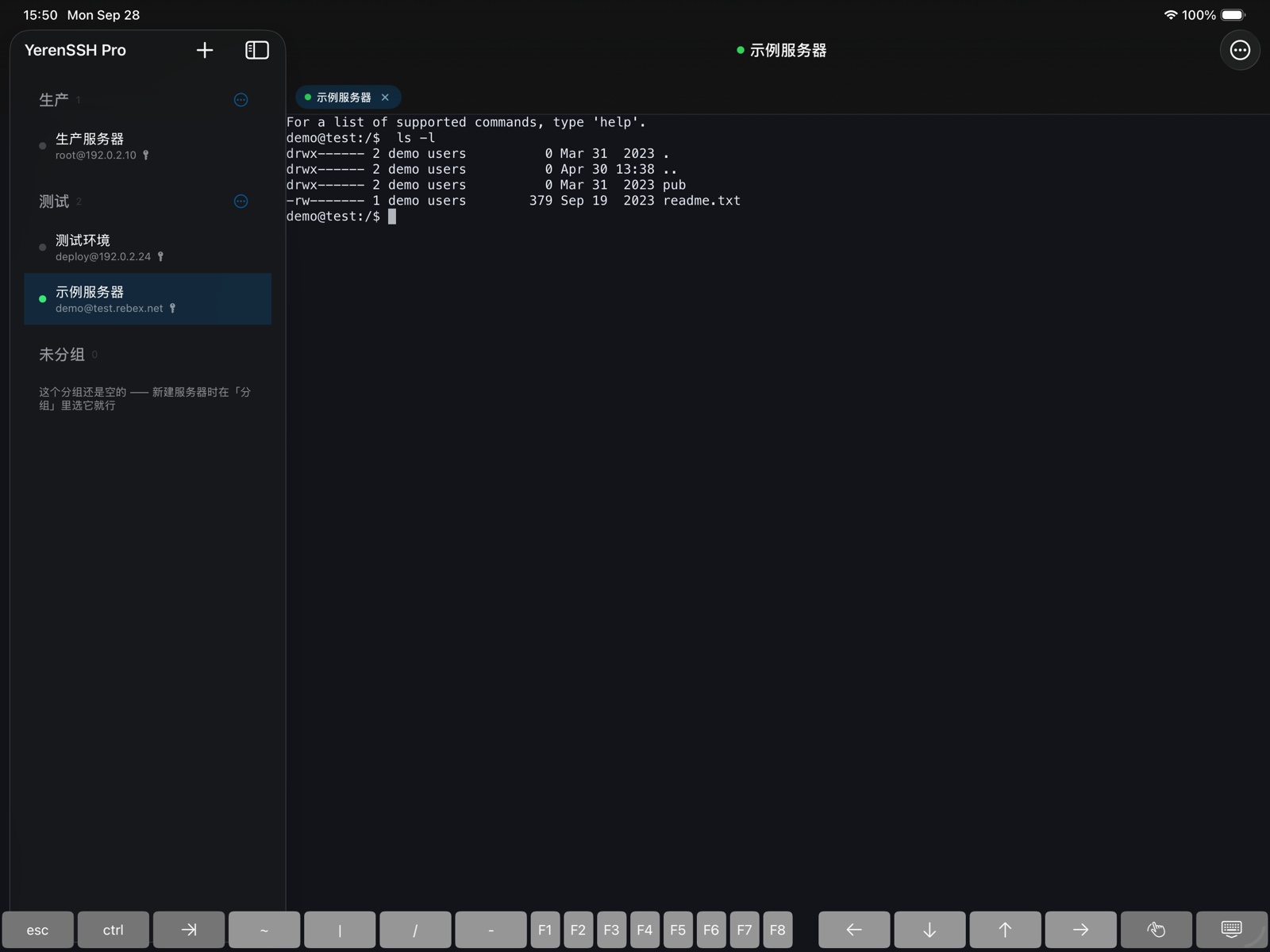
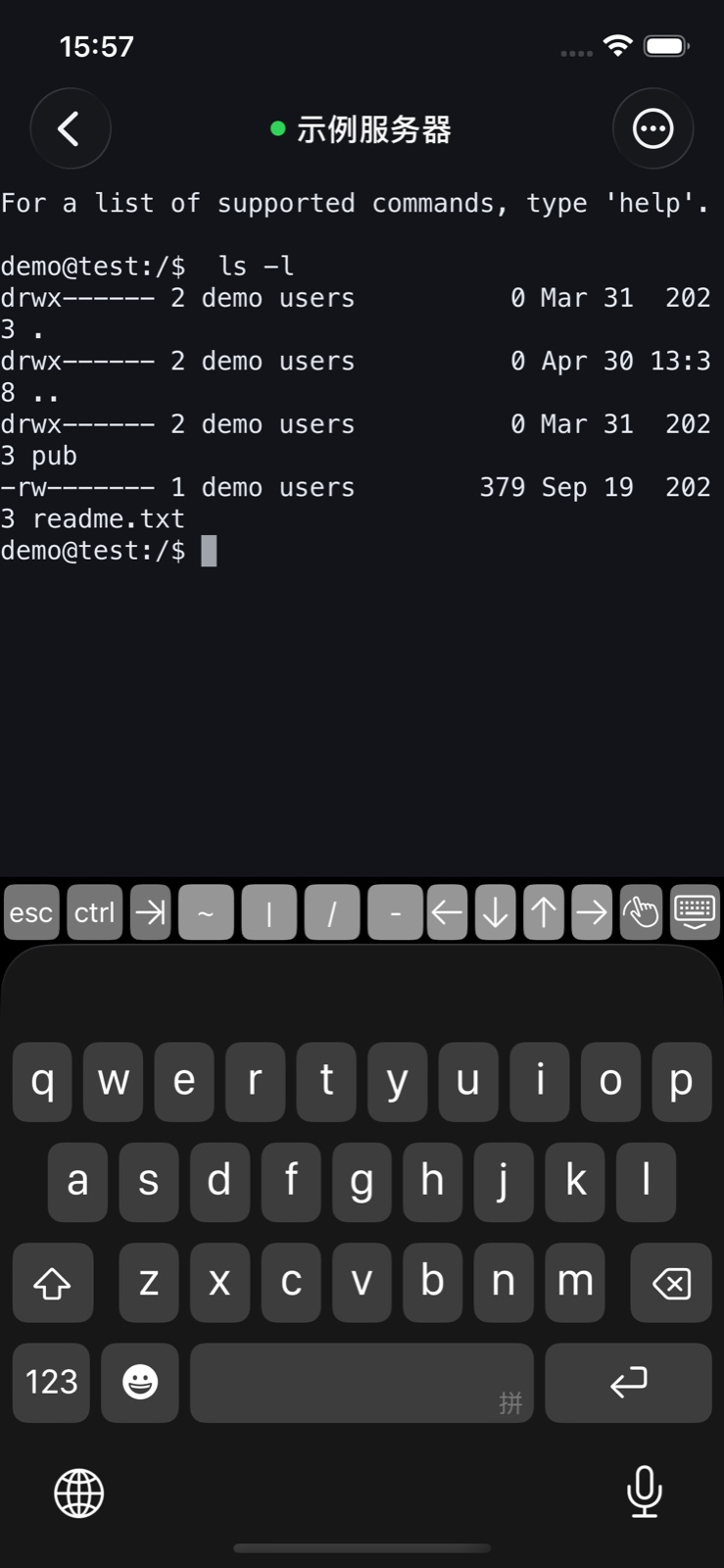
vim, htop and tmux behave, and wide characters line up. Tabs, windows, adjustable font size.wide characters line up correctlyvim, htop and tmux behave, and wide characters line up. Tabs, windows, adjustable font size.
SFTP
Big transfers resume
Upload, download, whole folders. Lose the connection or quit the app and it resumes where it stopped; failed transfers retry, cancelling cleans up the half file.Upload, download, whole folders. Lose the connection or quit the app and it resumes where it stopped; failed transfers retry, cancelling cleans up the half file.Upload, download, whole folders. Lose the connection or quit the app and it resumes where it stopped; failed transfers retry, cancelling cleans up the half file.Upload, download, whole folders. Lose the connection or quit the app and it resumes where it stopped; failed transfers retry, cancelling cleans up the half file.Upload, download, whole folders. Lose the connection or quit the app and it resumes where it stopped; failed transfers retry, cancelling cleans up the half file.
AI
Forgot the command? Ask.
It knows which server and directory you're in and what the terminal just printed. Commands are inserted, never run. Bring your own key — we don't resell models.It knows which server and directory you're in and what the terminal just printed. Commands are inserted, never run. Bring your own key — we don't resell models.It knows which server and directory you're in and what the terminal just printed. Commands are inserted, never run. Bring your own key — we don't resell models.It knows which server and directory you're in and what the terminal just printed. Commands are inserted, never run. Bring your own key — we don't resell models.It knows which server and directory you're in and what the terminal just printed. Commands are inserted, never run. Bring your own key — we don't resell models.
Servers
List, groups, host keys
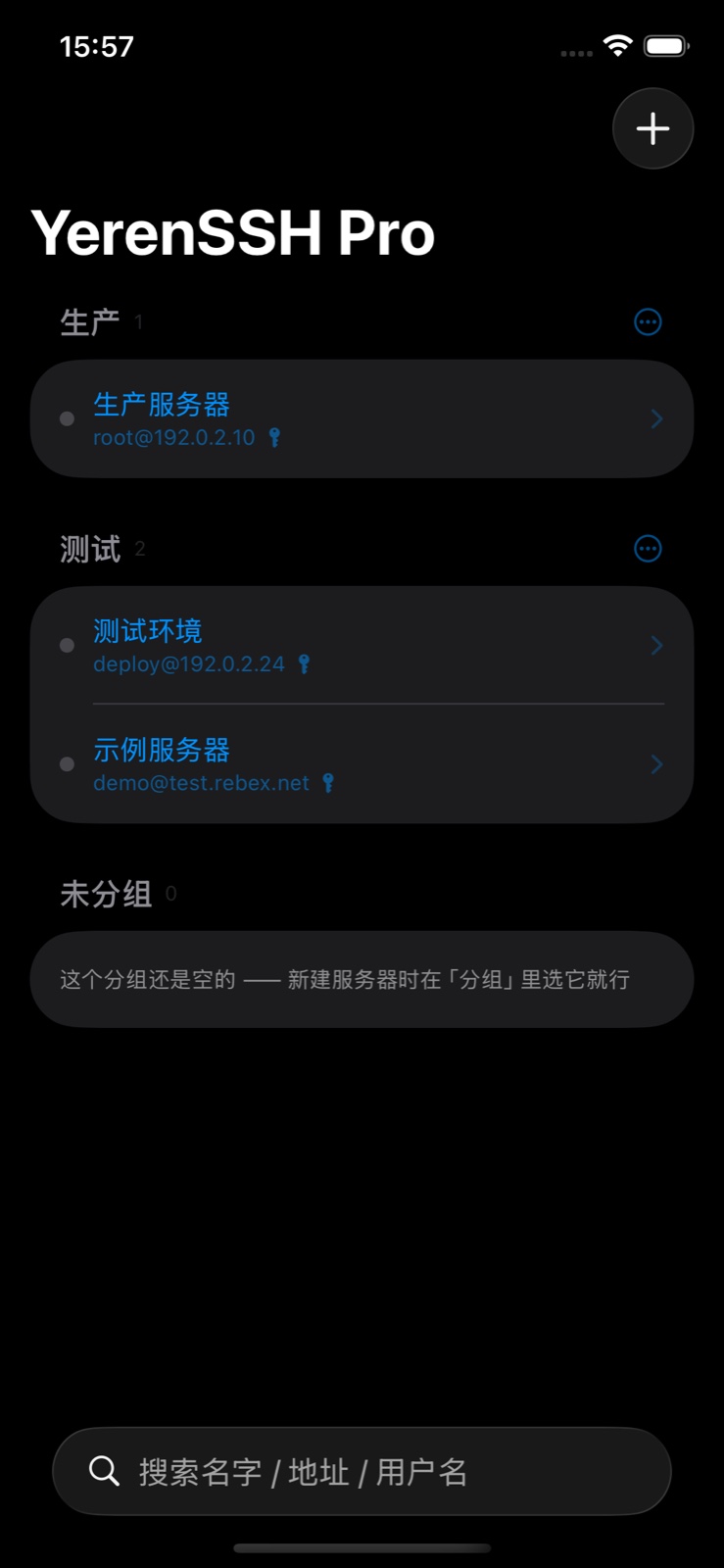
List, groups, search; passwords and private keys in the system keychain; a host key is confirmed once, and a changed key raises a red warning.Passwords and private keys live in the system keychain (the encrypted store on i OS / mac OS): no plain-text file, not included in exports, never uploaded. The server list sits in the app sandbox. See the privacy policy.List, groups, search; passwords and private keys in the system keychain; a host key is confirmed once, and a changed key raises a red warning.List, groups, search; passwords and private keys in the system keychain; a host key is confirmed once, and a changed key raises a red warning.Passwords and private keys live in the system keychain (the encrypted store on i OS / mac OS): no plain-text file, not included in exports, never uploaded. The server list sits in the app sandbox. See the privacy policy.
Design
One connection behind all three
The file panel follows the terminal
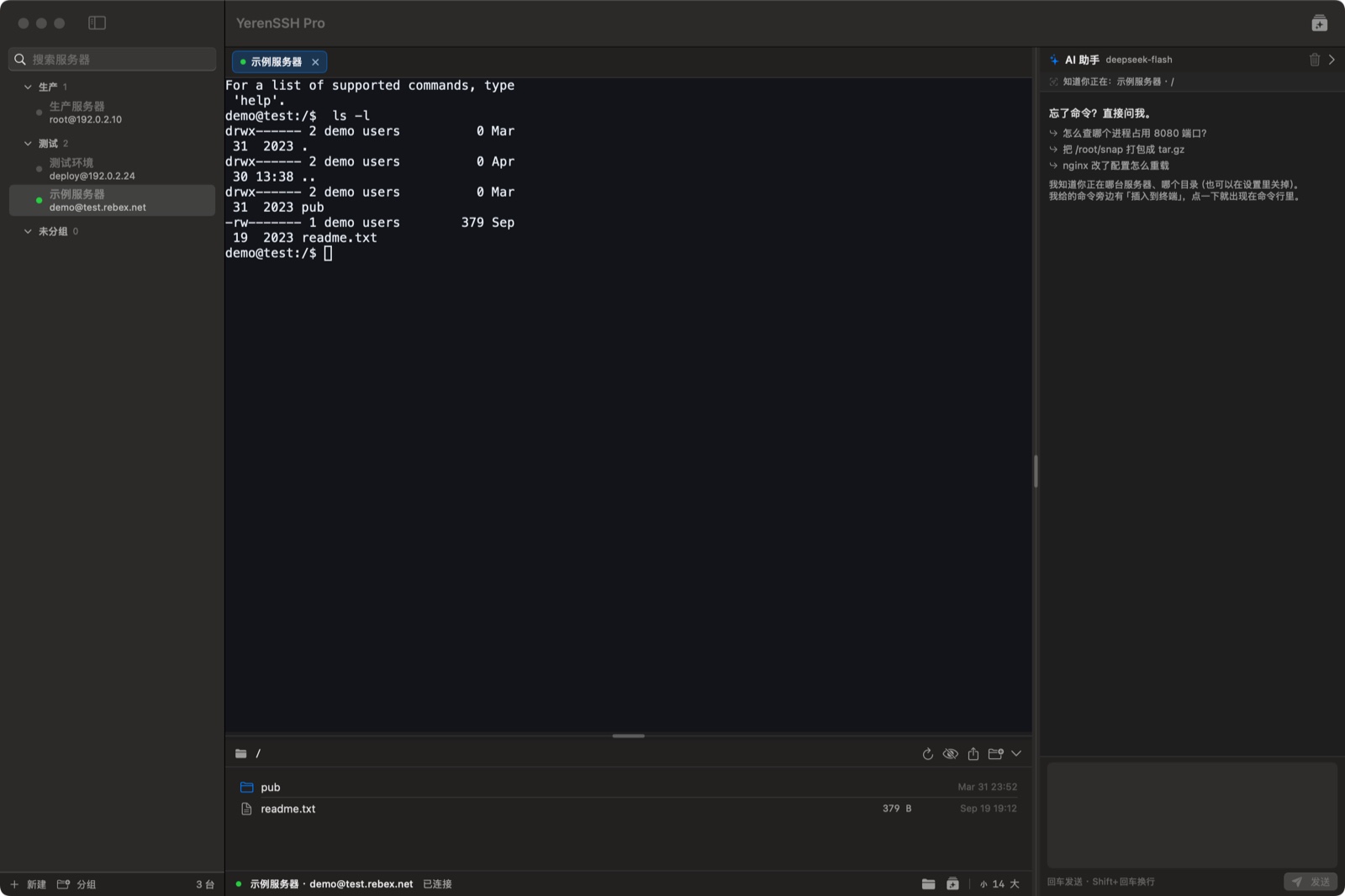
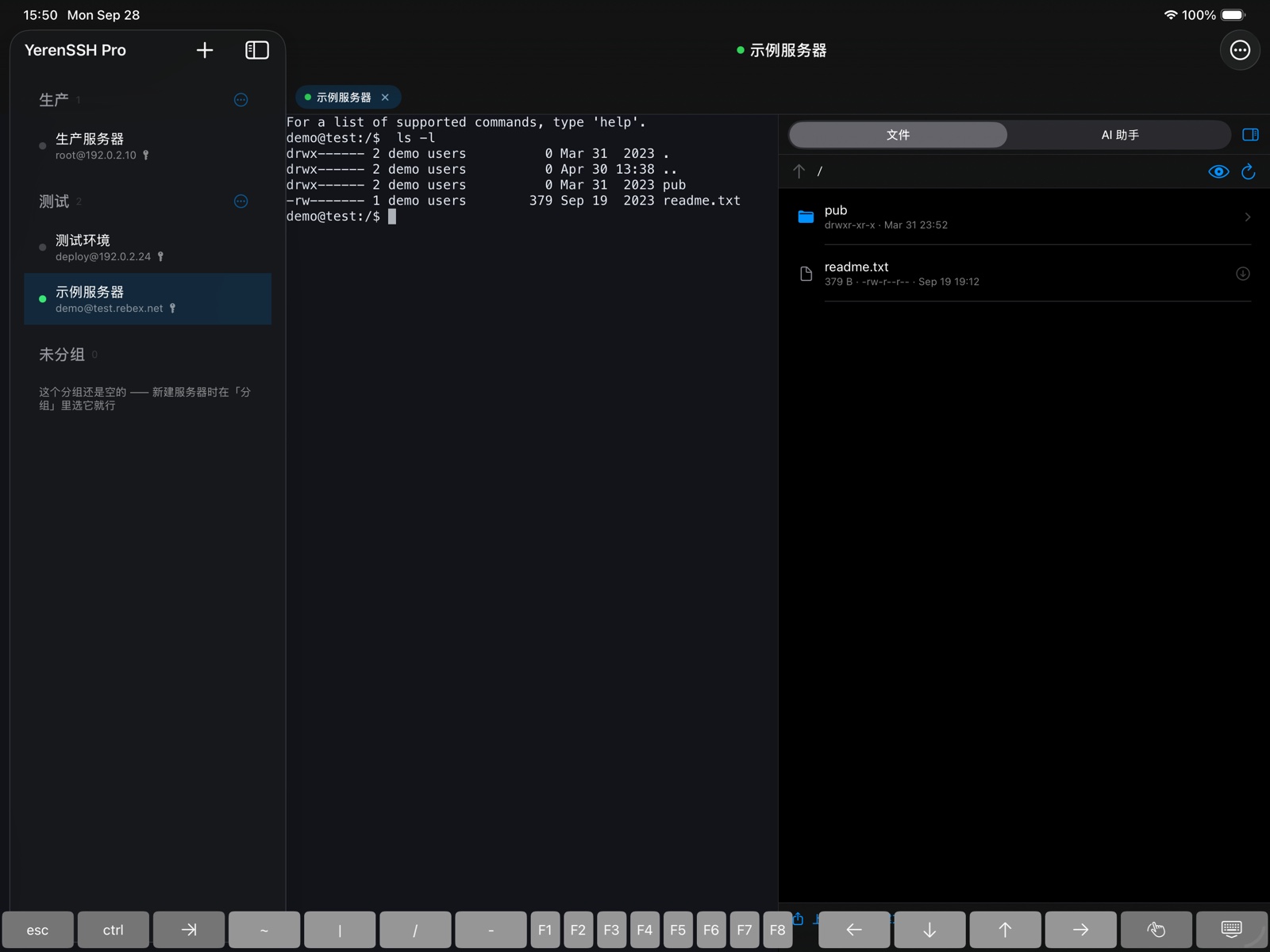
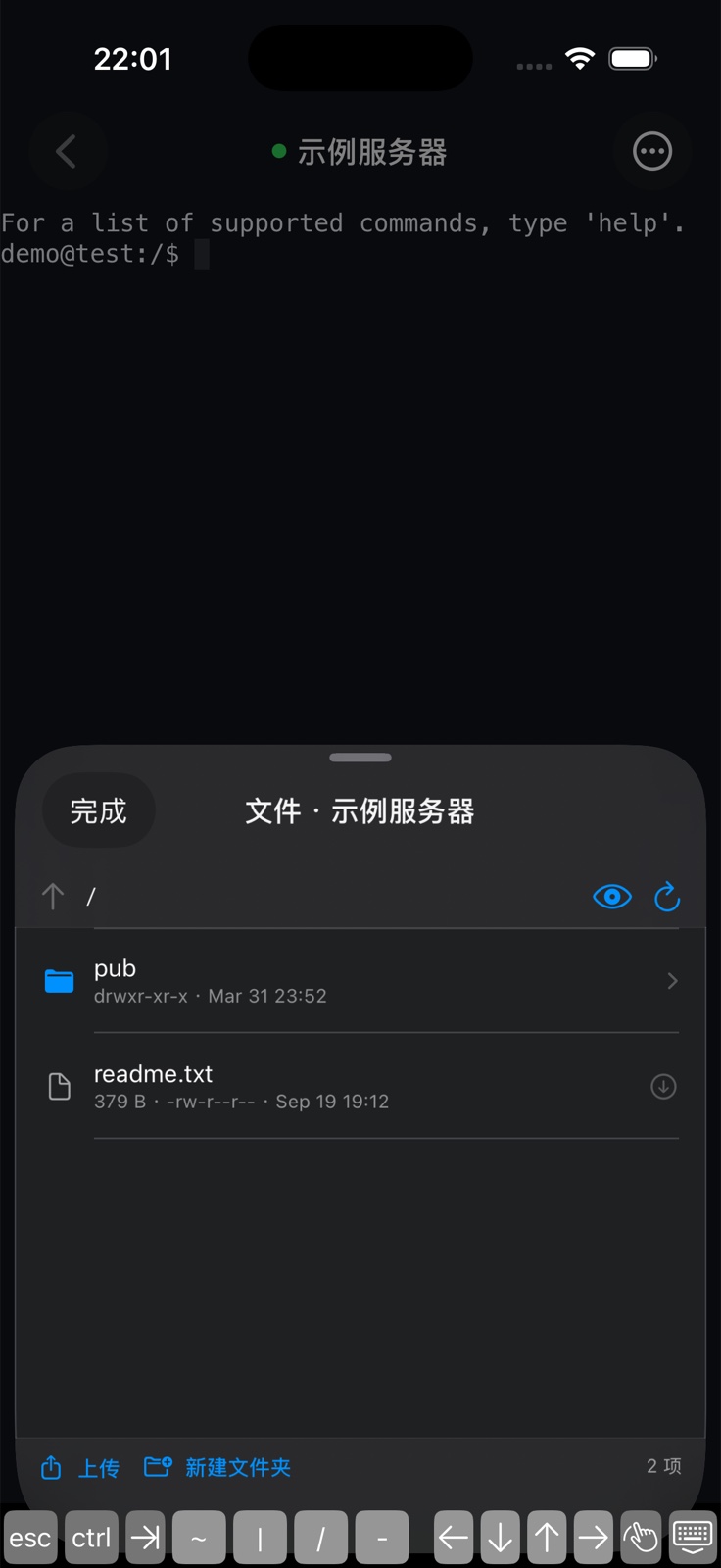
Wherever you cd, the file panel follows; when a command finishes, the panel refreshes itself.Wherever you cd, the file panel follows; when a command finishes, the panel refreshes itself.Wherever you cd, the file panel follows; when a command finishes, the panel refreshes itself.
The AI has your context
Each request carries the server, the directory and the last lines of output — and nothing is sent until you explicitly agree, revocable at any time.Each request carries the server, the directory and the last lines of output — and nothing is sent until you explicitly agree, revocable at any time.Each request carries the server, the directory and the last lines of output — and nothing is sent until you explicitly agree, revocable at any time.
Passwords never hit disk
The server list lives in the app sandbox; passwords and keys stay in the system keychain and never leave in an export.The server list lives in the app sandbox; passwords and keys stay in the system keychain and never leave in an export.Passwords and private keys live in the system keychain (the encrypted store on i OS / mac OS): no plain-text file, not included in exports, never uploaded. The server list sits in the app sandbox. See the privacy policy.
Screenshots
Three platforms, one interface logic
Real screenshots from the actual apps (connected to a public test host; server names and addresses are examples).
Mac · server list, tabbed terminal, file panel and AI assistant

Pricing
Buy once. There is no second bill.
CN¥68one-time purchase
- No subscription
- No in-app purchases
- No ads
- No account
- Buy once, install on Mac and i Phone / i Pad
- Includes future major versions
Availability and final pricing follow the App Store listing. The AI assistant is not offered in mainland China.
Pro
Pro · one-time purchase
From the App Store, i Phone/i Pad included (buy once, install on both). Everything included.
Free · Mac only
Free edition · this site only
Downloaded here, with no AI assistant and no file panel; everything else is the same (servers and groups · tabbed real terminal · keychain · host key checks · import/export). Never in any app store.Downloaded here, with no AI assistant and no file panel; everything else is the same (servers and groups · tabbed real terminal · keychain · host key checks · import/export). Never in any app store.Downloaded here, with no AI assistant and no file panel; everything else is the same (servers and groups · tabbed real terminal · keychain · host key checks · import/export). Never in any app store.
Privacy
Your passwords stay on your device
The server list lives in the app sandbox, passwords and private keys go into the system keychain — never a plain-text file, never inside an export. No sign-up, no account, no data collection. Only the AI assistant uses the network, and only with the key you provide.
- Mac · macOS 15+
- iPhone / iPad · iOS / iPadOS 17+
- English + Chinese interfaceChinese + English interface
- No extra installs requiredNo extra installs required
Import your server list and get to work
It opens with an empty list — a clean app. Adding your first server walks you through host key confirmation in your language; after that, a double-click connects.